
How to Deposit Money in 92 Dadu Game?

Adding balance to your 92 Dadu Game account is very simple and can be done directly from your mobile. The platform supports JazzCash, Easypaisa, and USDT wallets, so you can choose the method that suits you best. Below is a quick guide with steps and screenshots for your help.
Before depositing money, make sure you already have a registered account. If not, see our 3RR registration guide.
Deposit Steps
Here’s how you can deposit money into your account in just a few taps.
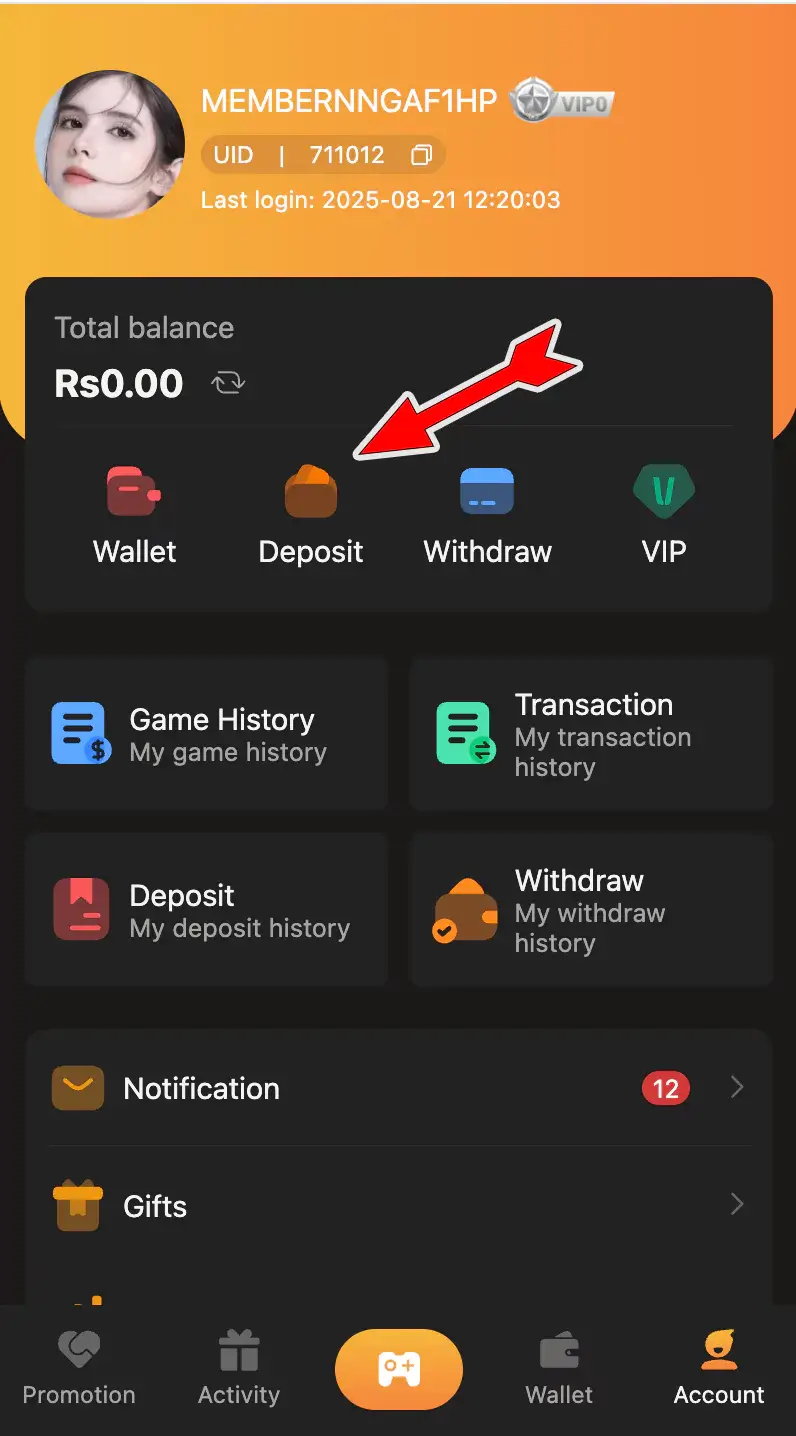
Step 1: Go to Deposit Section
From the home screen, tap on Deposit. You’ll see options like Wallet, Withdraw, VIP, and more just select Deposit.
Step 2: Select Your Payment Method
Here you will see three options:
- JazzCash (+2% Bonus)
- Easypaisa (+2% Bonus)
- USDT (+3% Bonus)
Choose the one you want to use for recharging your account.
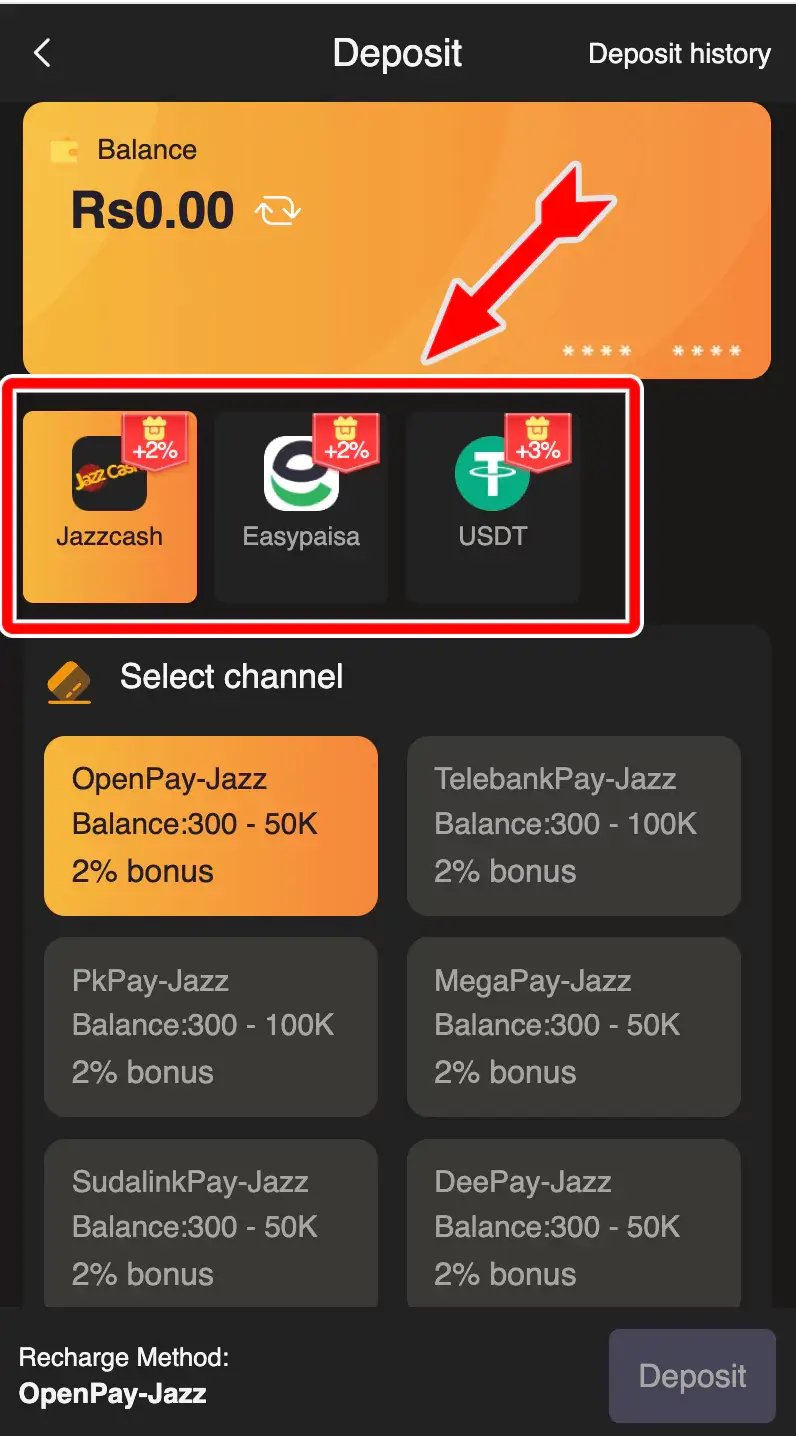
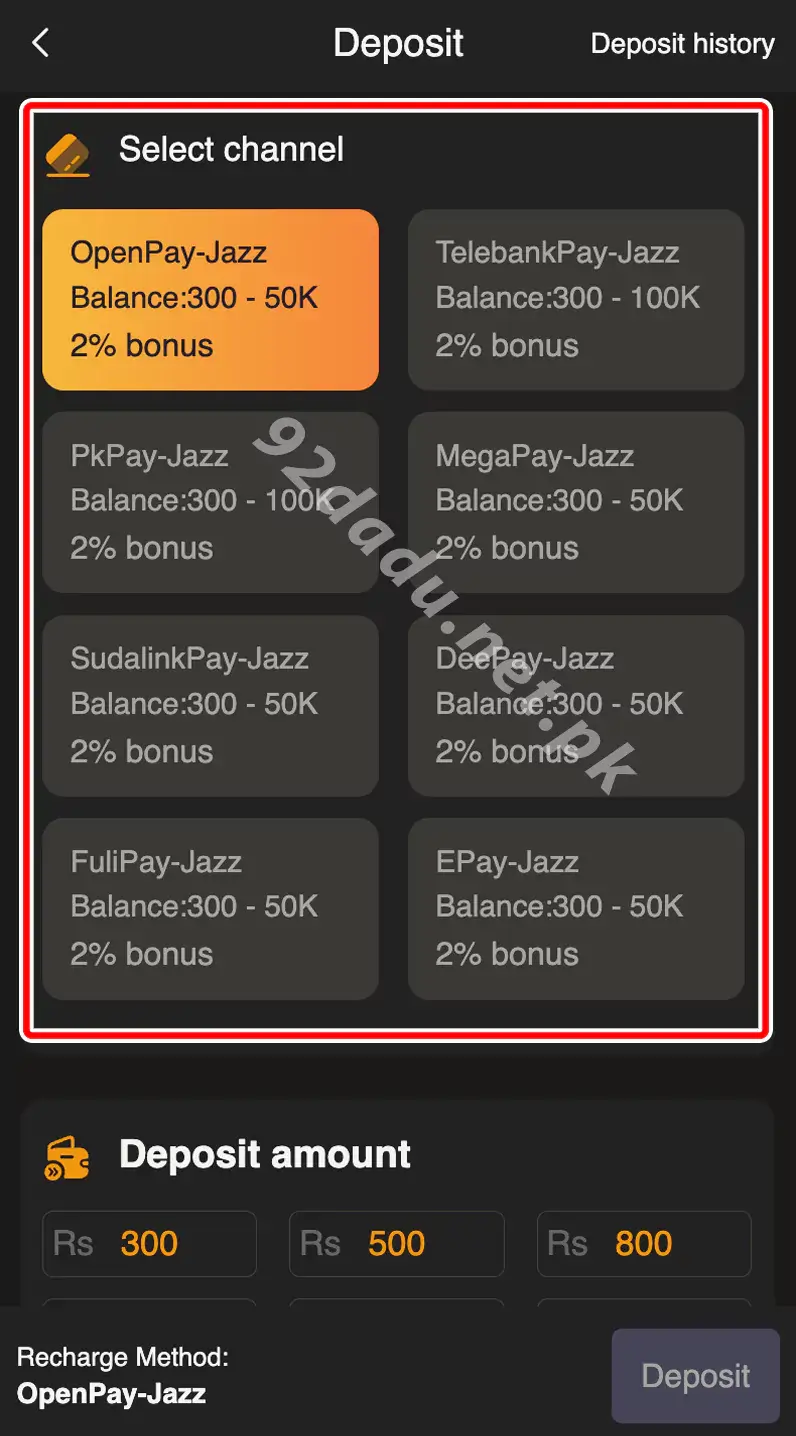
Step 3: Choose Payment Channel
For JazzCash/Easypaisa, multiple channels are available like OpenPay, PkPay, TelebankPay, etc. Each channel shows the allowed range (e.g., Rs.300 – Rs.50,000) and bonus. For USDT, you will see options like USDT-3, USDT-4 with their limits.
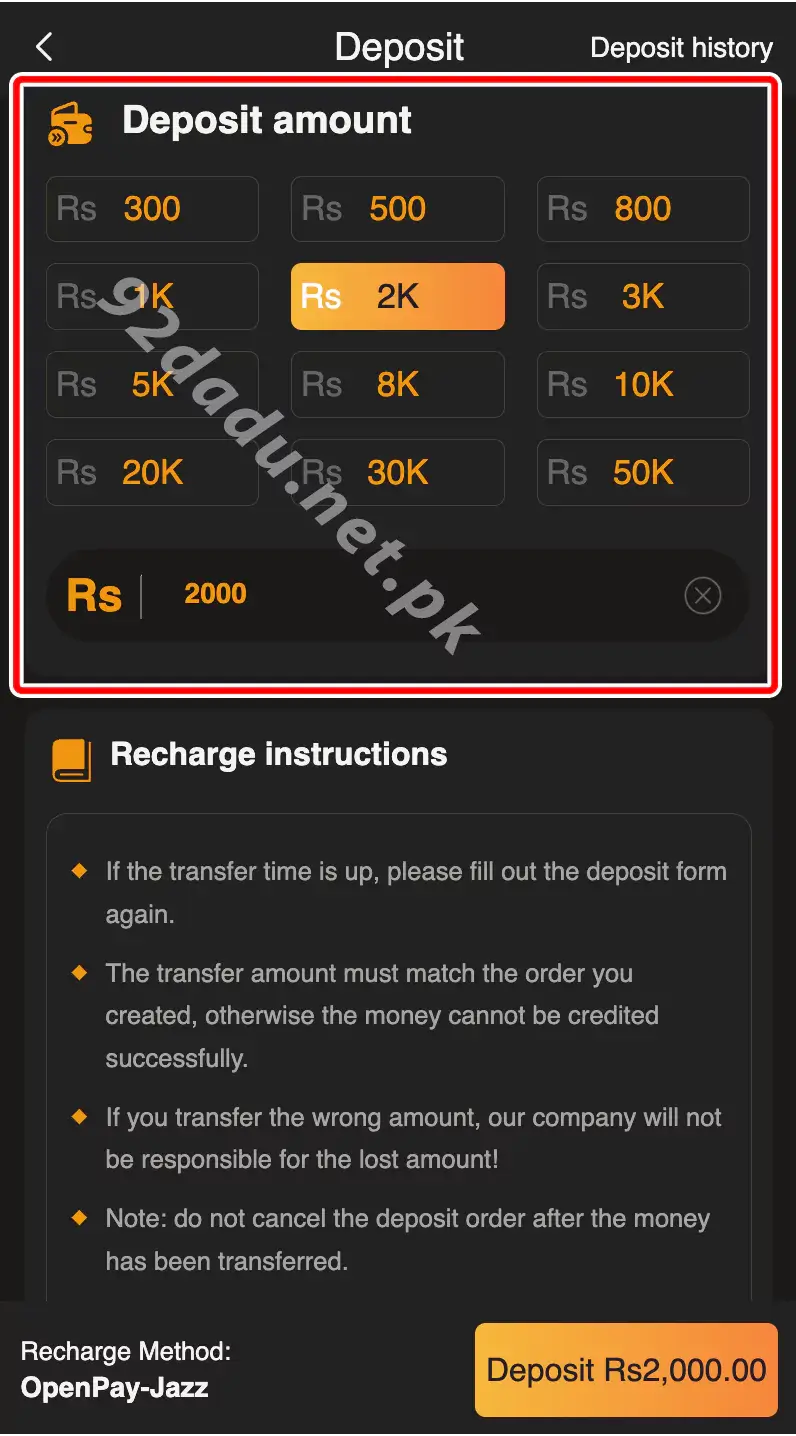
Step 4: Select Deposit Amount
Now pick the amount you want to deposit (minimum Rs.300 for JazzCash/Easypaisa or 10 USDT if using crypto). Options are already listed, such as Rs.300, Rs.500, Rs.1,000, etc.
Step 5: Follow Recharge Instructions
Once you select the amount, follow the instructions shown on the screen:
- For JazzCash/Easypaisa, you’ll also get a payment request in your app. Just approve it.
- The transfer amount must match the order.
- Don’t send a wrong amount, or it may not be credited.
- After sending money, do not cancel the deposit order.
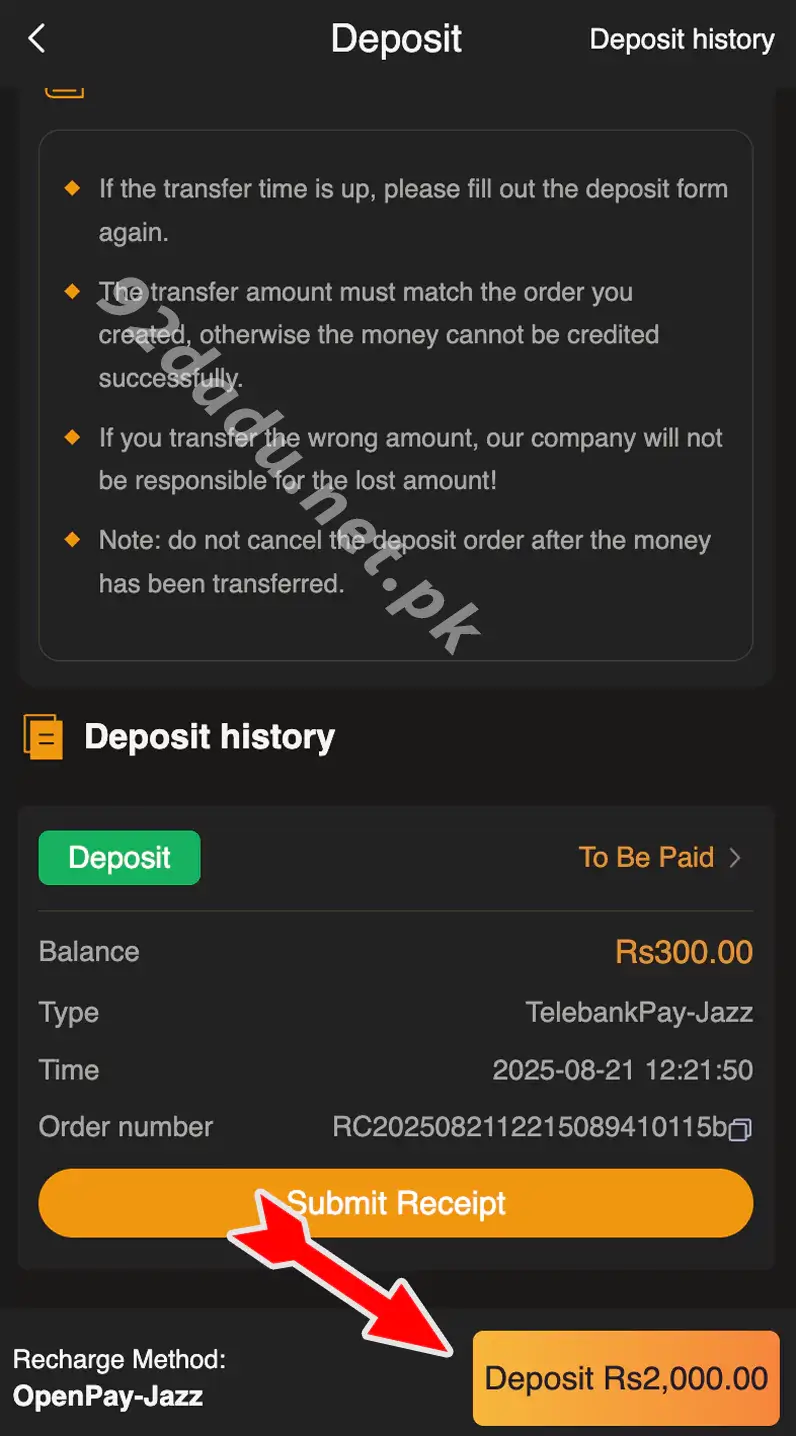
Step 6: Confirm Transaction
After completing the transfer, click Confirm. The amount will be added to your 92 Dadu wallet in a short time.
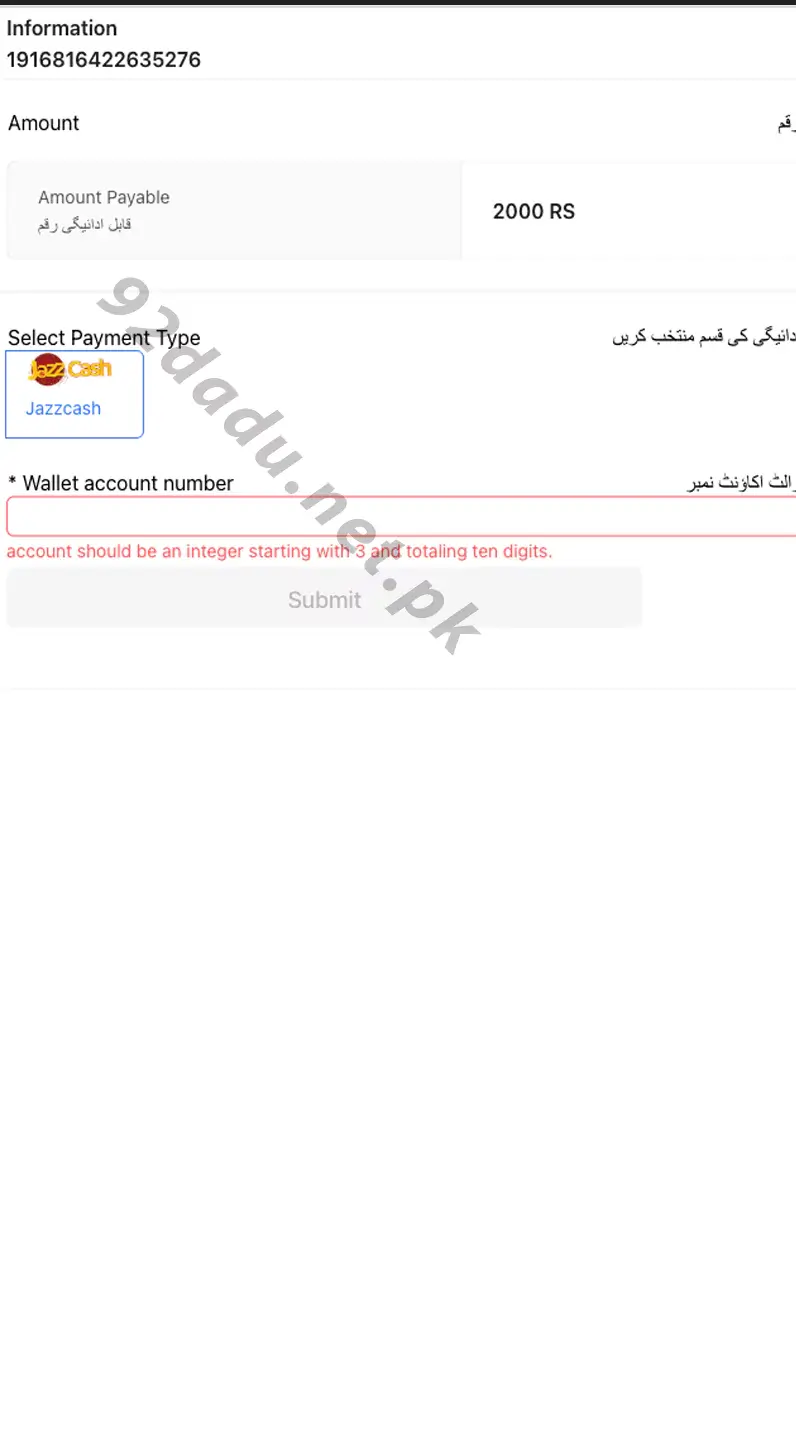
That’s it! Your deposit is complete and you’re ready to start playing your favorite games.